
The SWOT Analysis is a helpful framework to think through your position with an Account and identify Mutual Opportunities. In this release, Valkre has been upgraded both in terms of usability and integration with the Customer Business Planning process.
The first thing you’ll notice is the availability of a SWOT Analysis ‘widget’ on the Home Page.
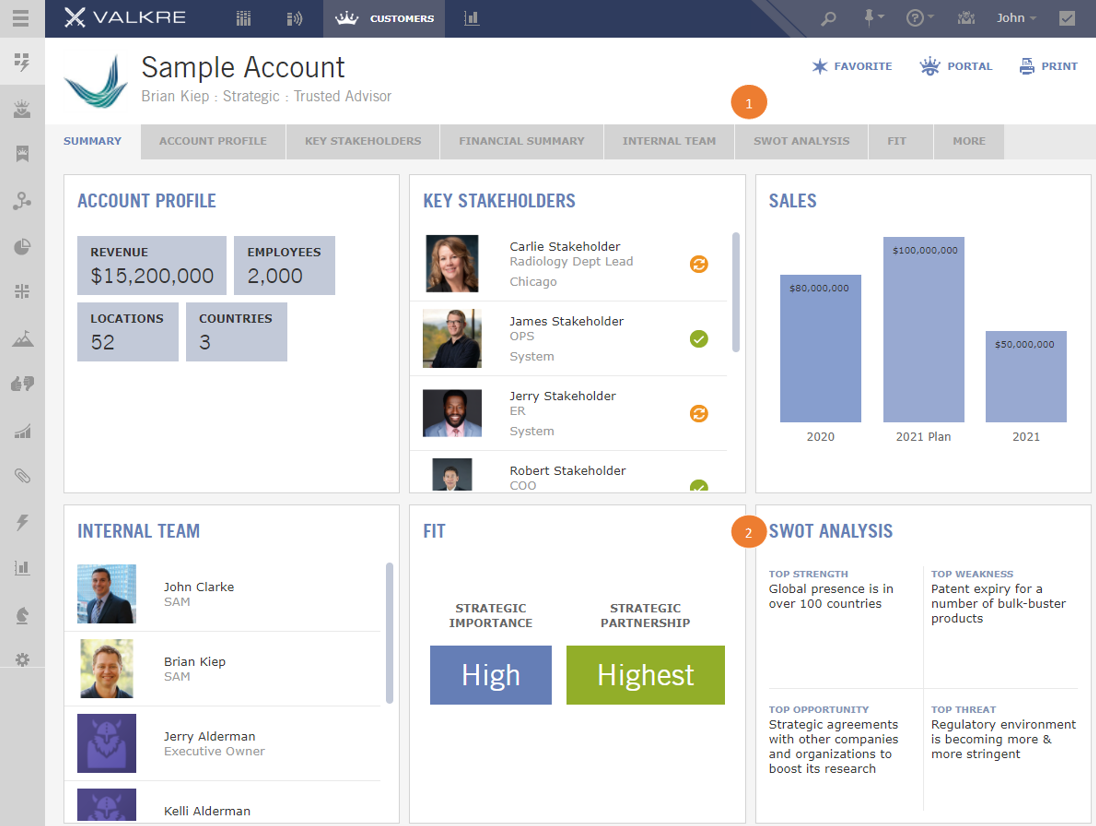
- Click on SWOT Analysis Label for more details
- View the SWOT Highlights in the Summary widget
In this release, you can now create multiple snapshots of SWOT Analysis over time. When you access a particular SWOT Analysis you can choose to EDIT an existing snapshot or create a NEW SWOT Analysis. Creating a new SWOT will copy forward the last version to an iteration stamped with today’s date.
When creating a new SWOT Analysis, you will have the option to copy content from another customer. This can be helpful if the situation is similar at two different customers.
To support the SWOT Analysis, any active Customer Goals and/or Mutual Opportunities will be displayed as well. This allows you to do the SWOT Analysis in context of Customer Goals and quickly generate Mutual Opportunities based on the results of the SWOT Analysis.
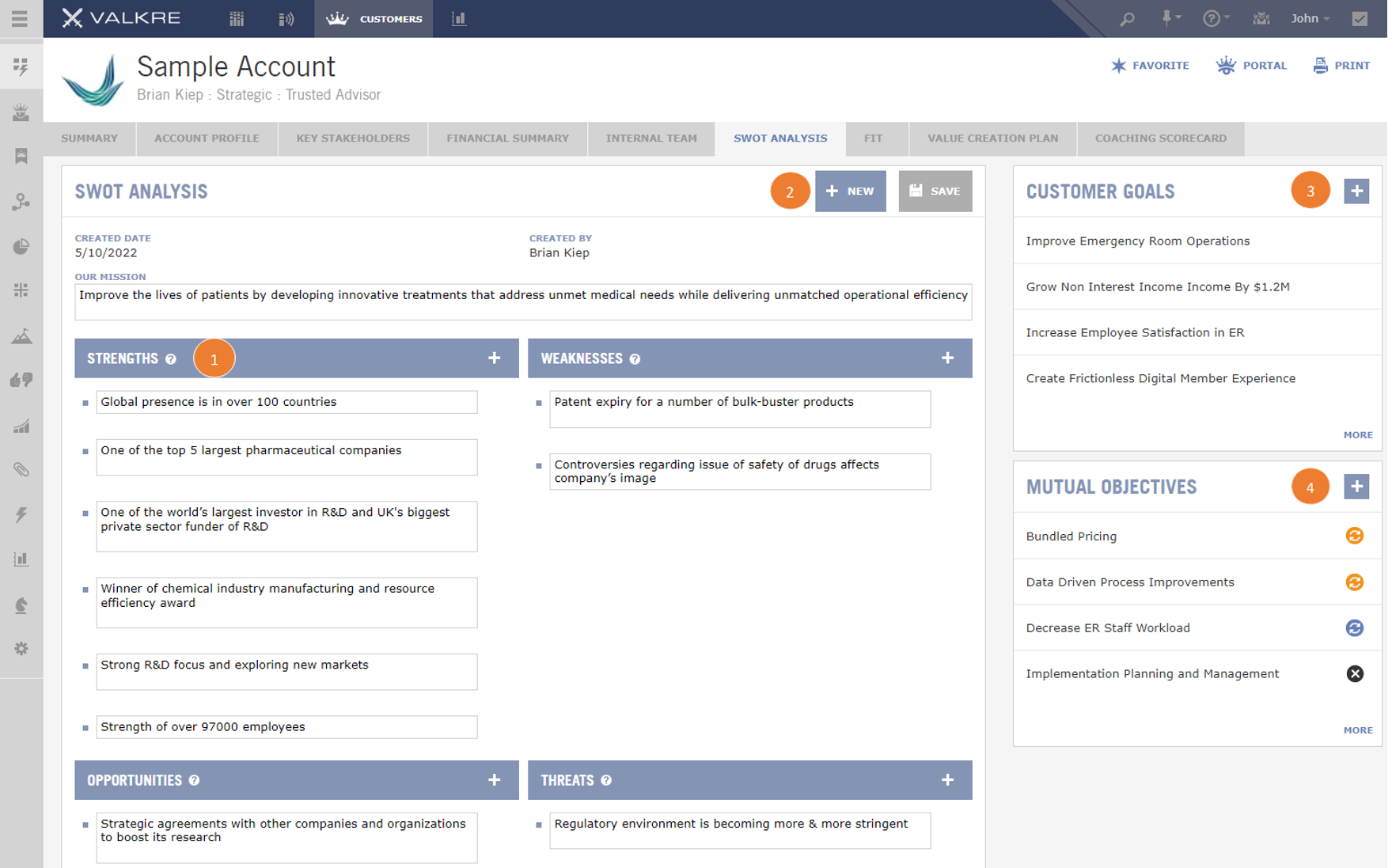
- Edit existing SWOT Analysis
- Create New Version of the SWOT Analysis as of Today’s Date
- Review Customer Goals
- Build Out Mutual Opportunities
Over time, there may be several SWOT Analysis generated. Perhaps 3-4 iterations in a given year. Access the history of the SWOT Analysis using the side navigation.
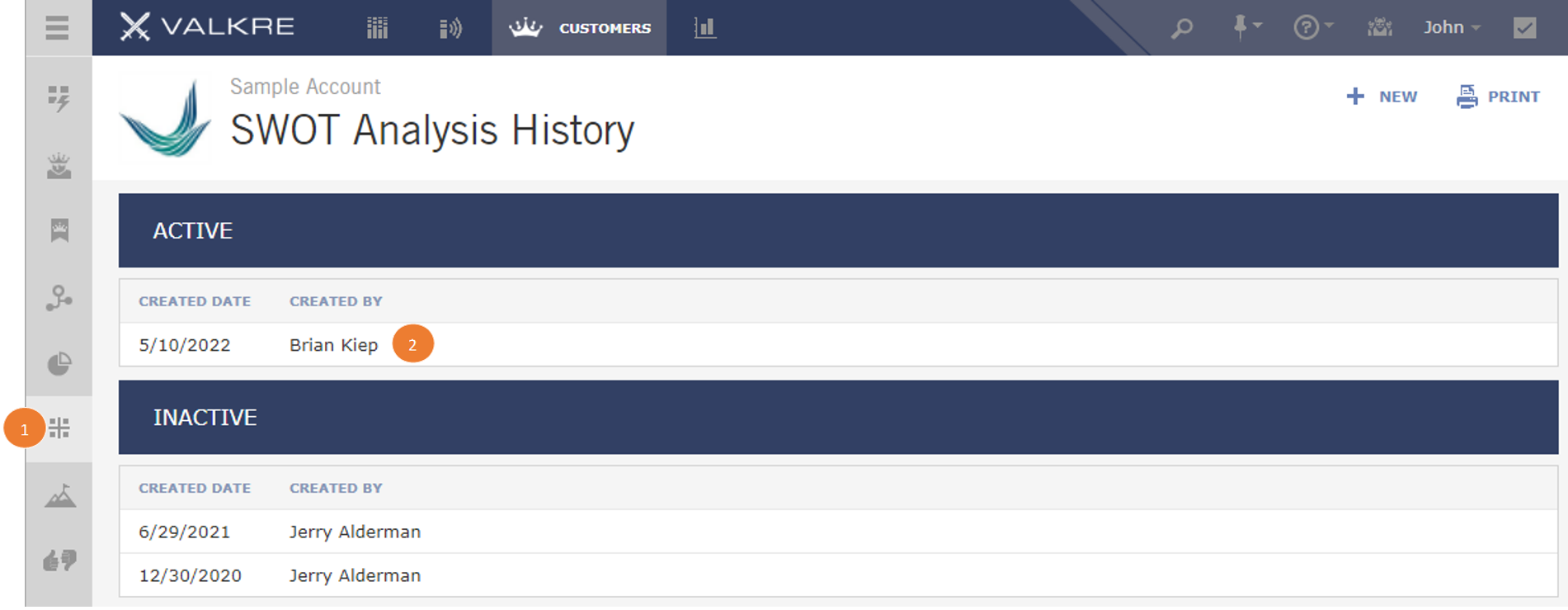
- Access SWOT Analysis using Left-hand Navigation
- Click on a SWOT Analysis to Review
Comments
0 comments
Please sign in to leave a comment.